| Keyword | Type | Description |
|---|---|---|
| Period | ||
| TSTART | Date | Start of simulation period (yyyy-mm-dd) |
| TEND | Date | End of simulation period (yyyy-mm-dd) |
| Location | ||
| STATION | Text | Reference to KNMI weather station |
| REPLACE | Text | Reference to KNMI weather station for filling missing values |
| Folder structure | ||
| DIROUT | Text | Reference to folder where files are written |
3 Meteorological data
Historical data
To create meteorological files for the SWAP-WOFOST model system, the R script SWAP_meteo.R was developed. This R script downloads historical observations from the KNMI and converts the data (radiation, temperature, relative humidity, wind speed, precipitation, and precipitation duration) into the correct format. The R script is controlled via a control file, see Table 3.1.
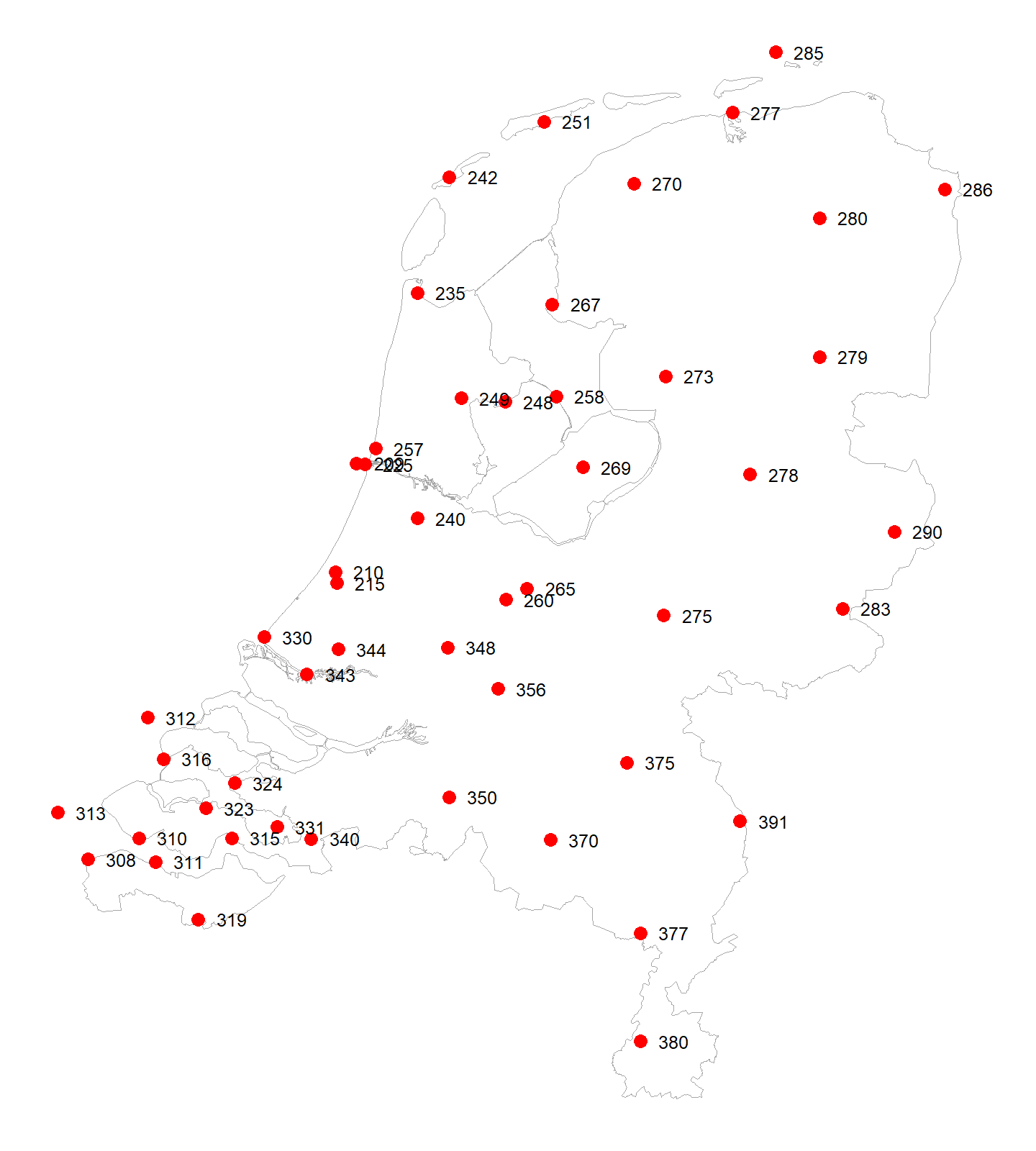
The period can be specified using TSTART and TEND, and a weather station is selected using STATION. In some cases, measurement data may be missing. REPLACE can be used to specify the weather station that fills in the missing observations (see the location of the KNMI stations in Figure 3.1).
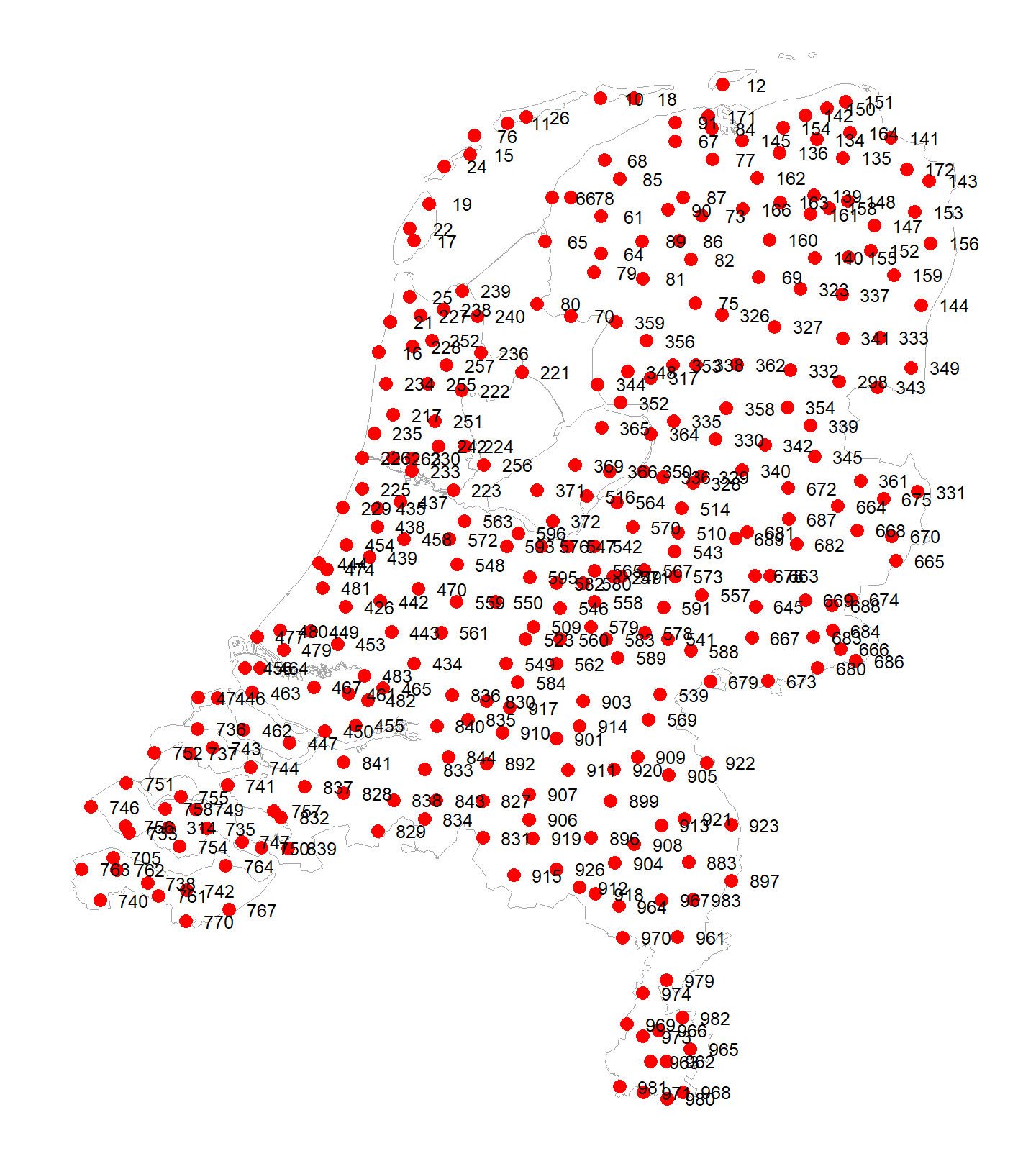
Optionally, precipitation from a weather station can be overwritten with more detailed precipitation data (hourly values from a weather station) or with precipitation data from a precipitation station (measured over the period 08:00–08:00). These options should be used with some caution. In the latter case, for example, information on precipitation duration is missing, meaning that the concept used for simulating interception evaporation needs to be adjusted.